
Wi-Fi and Power: Preparing Your Venue for Event Technology
The best event technology fails without reliable internet and power. Here is how to prepare your venue so nothing goes dark at the wrong moment.
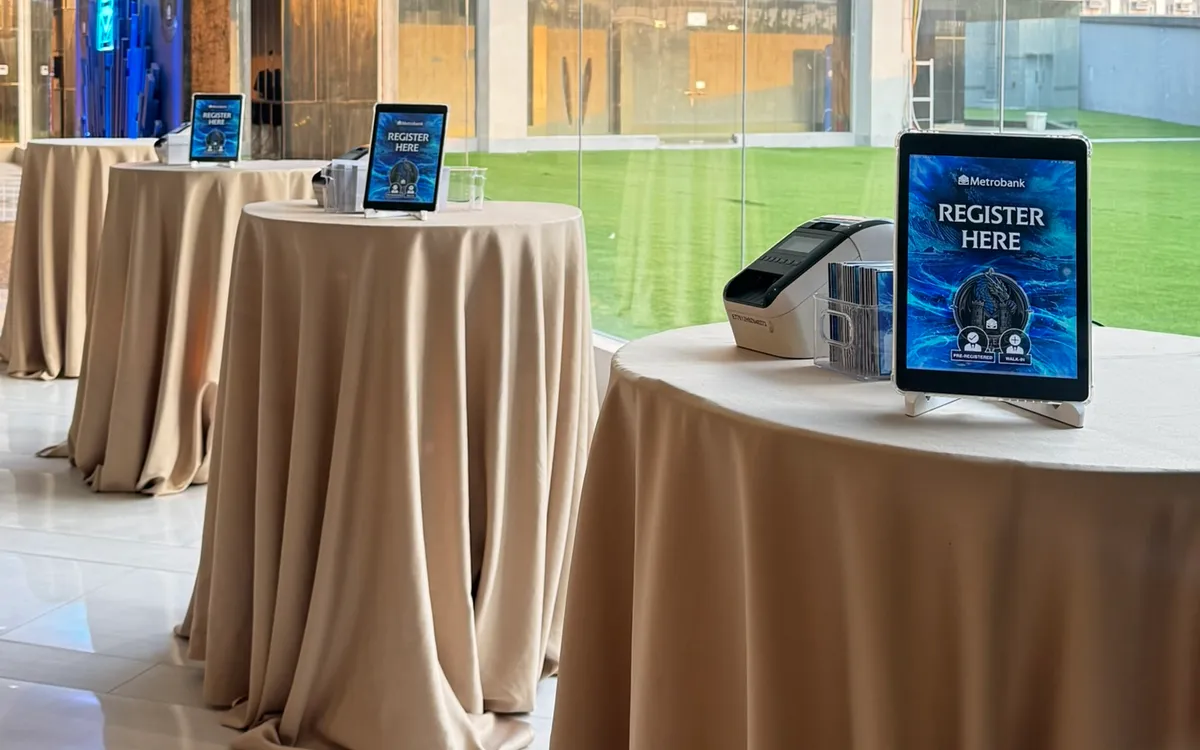
Event technology — check-in tablets, badge printers, kiosks, displays — runs on two things that are easy to take for granted: reliable internet and reliable power. When either fails, the whole setup falters, usually at the worst possible moment. A little preparation prevents the kind of day-of crisis that no amount of good equipment can rescue.
Here is how to prepare your venue so your technology stays running.
Confirm the Internet Situation Early
Do not assume the venue's Wi-Fi will be adequate. Venue internet ranges from excellent to nearly unusable, and a network that is fine for a few guests checking email can buckle when it is carrying your registration system and hundreds of attendees' phones at once.
Ask the venue specific questions well ahead of the event: What is the connection speed? Is there a dedicated network for event organizers, separate from guest Wi-Fi? How many devices can it handle? If the answers are vague or worrying, plan a backup.
Have an Internet Backup Plan
For anything that depends on connectivity — and most digital check-in does — a backup is cheap insurance. A mobile hotspot or a dedicated event connection can carry your registration system independently of the venue's network. Even if you never need it, knowing it is there removes a major source of day-of anxiety.
It is also worth choosing check-in tools that can tolerate a brief connectivity hiccup, so a momentary drop does not stop the whole desk. An offline copy of your guest list as a last resort is worth having in your back pocket.
Map Your Power Needs
Every device at your event draws power, and all-day events will exhaust batteries. Before the day, map what needs power and where:
- Check-in iPads used continuously for hours will need charging.
- Badge printers need to be plugged in throughout.
- Kiosks and displays need constant power.
Count your devices, locate the power outlets at your registration area and kiosk points, and confirm there are enough. Venues often have fewer accessible outlets than you expect, especially in open spaces.
Bring Your Own Power Solutions
Rarely will a venue's outlet placement match your ideal setup exactly. Come prepared with extension cords and power strips to reach where you need power, and keep chargers on hand for every device. For registration desks in open areas far from a wall, plan the cable runs in advance — and manage them tidily so they are not a trip hazard or an eyesore.
Having devices arrive fully charged buys you a cushion, but do not rely on battery alone for an all-day event. Plan to keep everything powered.
Test Everything on Site
The single most valuable thing you can do is test your full setup at the venue before doors open. Connect every device to the network, confirm the internet holds up, plug in and power everything, and run a few test check-ins. This is when you discover that an outlet is dead, the Wi-Fi is weaker than promised, or a cable does not reach — all trivial to fix at 8:00 AM and disasters at 9:05.
Coordinate With the Venue Team
The venue's staff know their space better than anyone. Coordinate with them on where you can draw power, how to access the network, and any restrictions on cable runs or equipment placement. A good working relationship with the venue team smooths out problems quickly and prevents surprises.
Assign Someone to Own the Tech
Infrastructure problems tend to arise mid-event, when everyone is busy, and they get solved fastest when one person clearly owns the technology. Rather than leaving Wi-Fi, power, and devices as everyone's problem (which means no one's), assign a single person to own the tech setup and troubleshooting. They confirm the network and power during setup, run the tests, and are the go-to if something falters during the event. A clear owner turns a potential scramble into a quick, calm fix.
This person should also be the one coordinating with the venue's technical staff. When an internet or power issue arises, knowing exactly who to call at the venue — and having that relationship established during setup — resolves problems far faster than starting cold mid-event. A brief conversation with the venue team before doors open, establishing contacts and understanding the space's quirks, is time well spent.
Give the tech owner the tools to actually fix things: the backup connection, spare devices, extra cables, and chargers all in one known place, ready to deploy. A problem is only as bad as the time it takes to resolve, and a prepared owner with backups on hand resolves most issues in moments. Without that preparation, even a small glitch — a dropped connection, a dead outlet — can stall the desk while someone hunts for a solution. Assigning ownership and equipping that person to respond is the difference between infrastructure that fails gracefully and infrastructure that fails visibly, in front of your guests. It costs nothing to designate the role, and it is one of the simplest ways to keep the boring-but-critical infrastructure from becoming the story of your event.
None of this infrastructure is glamorous, and that is exactly why it is so often neglected — until it fails in front of guests. The organizers who never seem to have technical problems are not lucky; they are the ones who confirmed the internet, mapped the power, brought their own cords, assigned an owner, and tested everything before doors opened. A little unglamorous diligence here buys a great deal of day-of calm, and it is some of the highest-return preparation you can do.
Plan the Boring Infrastructure
Wi-Fi and power are not glamorous, but they are the foundation everything else stands on. Confirm the internet early and back it up, map and provide for your power needs, bring your own cords and chargers, and test the whole setup on site before guests arrive. Get this infrastructure right and your technology simply works — which is exactly what lets it fade into the background where it belongs.
If you are planning an event in Metro Manila, we deliver and set up your registration technology and help you plan the power and connectivity it needs, so nothing goes dark at the wrong moment. Handled by our team.
Planning an event?
We deliver and set up iPads, printers, and registration tech across Metro Manila.
Request a quote