
Running a Product Launch With Interactive iPad Demos
A product launch should let guests experience the product, not just hear about it. Here is how interactive iPad demos make launches memorable.
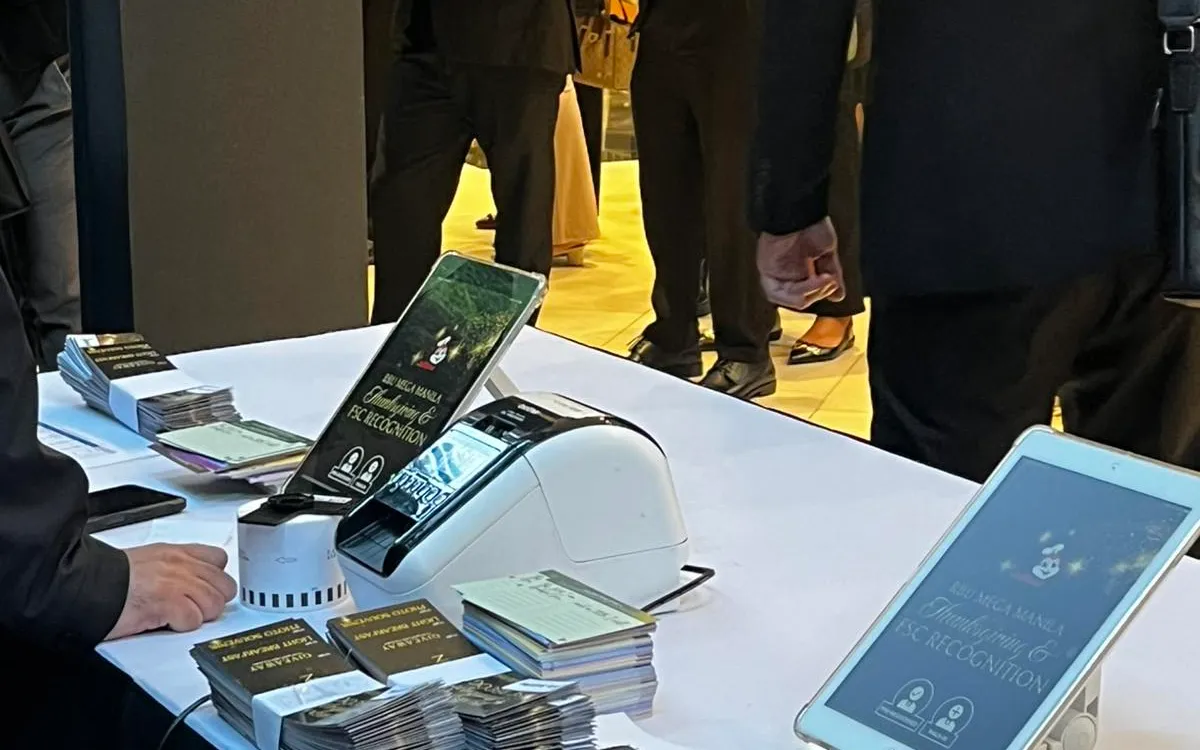
A product launch has one job: to make guests understand and want the product. Speeches and slides go only so far. The launches that land are the ones where guests get to experience the product — to touch it, try it, explore it. When the product is digital, or has a digital dimension, interactive iPad demos are one of the most effective ways to create that hands-on experience.
Here is how to use interactive iPad demos to make a launch memorable.
Show, Do Not Just Tell
The core principle of a great launch is experiential. People remember what they do far more than what they are told. An iPad running an interactive demo lets a guest explore your product at their own pace, discovering its value firsthand rather than passively receiving a pitch.
This is especially powerful for apps, software, digital services, or physical products with a digital component. A demo station invites curiosity and creates the "aha" moment that a presentation struggles to deliver.
Set Up Demo Stations
Position iPads on stands around your launch space as demo stations. Floor stands work well for standing, walk-up interaction; tabletop stands suit a seated or counter-based exploration. Each station runs your demo — a guided walkthrough, an interactive prototype, a hands-on version of the product experience.
Multiple stations let many guests engage at once, preventing a queue at a single device and giving your launch an active, hands-on atmosphere rather than a passive one.
Guide the Experience
An unstructured demo can leave guests unsure what to do. Design the demo experience to guide them: a clear starting point, an intuitive flow, and a natural arc that shows off what matters most. The goal is that a guest can walk up, engage, and come away understanding your product's value without needing someone to explain every step.
That said, a knowledgeable person nearby to answer questions and highlight features amplifies the experience. The best demo stations combine a self-explanatory interactive experience with an expert on hand.
Capture Interest in the Moment
A launch is not only about impressing guests — it is about capturing the interest it generates. The same iPads, or dedicated ones, can capture leads at the moment of enthusiasm: a guest who just experienced your product and loved it is far more likely to share their details than one following up later. A quick, simple capture form turns launch excitement into a followed-up pipeline.
Capturing interest while it is hot, right at the demo station, is one of the highest-return things you can do at a launch.
Create a Memorable Environment
The demo stations are part of a larger experience, and the environment around them matters. Sleek iPads on clean stands contribute to a modern, premium feel that reflects well on the product. A launch that looks and feels current signals a product that is current. Thoughtful presentation — the stands, the layout, the branding — turns demo stations into an attractive, photographable part of the event.
Handle the Registration Too
A launch still needs a smooth entrance. Guests arriving for a launch should be checked in quickly and welcomed warmly, setting the tone before they reach the demos. Digital check-in and on-demand badges handle this, and the badges help your team identify and engage key guests — media, partners, priority prospects — throughout the event.
Measure the Launch
Because everything is digital, you can measure your launch: how many guests attended, how many engaged with demos, how many leads you captured, and which prospects showed the strongest interest. This turns a launch from a one-off spectacle into a measurable marketing event with a clear pipeline outcome.
Prepare the Demo Content Carefully
An interactive demo is only as good as the content running on it, so prepare that content with real care. The demo should show your product at its best, guide the guest to its most compelling features, and work flawlessly under repeated, unpredictable use by strangers. A demo that crashes, confuses, or fails to highlight what matters undermines the whole launch. Invest the time to design a demo experience that is polished, self-explanatory, and reliable — it is the heart of what guests take away.
Test the demo extensively before the launch, under conditions like the real event. Guests will interact with it in ways you did not anticipate, tapping unexpected things and exploring in their own order. A demo tested only by its creators, who know the intended path, often breaks in the hands of real users. Have people unfamiliar with it try the demo beforehand, watch where they get stuck or confused, and refine it. The goal is a demo that any guest can walk up to and explore successfully without guidance.
Lock down the devices so the demo stays the demo. On a launch floor, guests should experience your prepared demo, not accidentally exit into device settings or other apps. Configuring each device to run only the demo — locked to that experience — keeps every guest's interaction on track and prevents the setup from being disrupted. This preparation, combined with well-tested content, ensures the demo delivers the intended experience to every guest, all day, without a staff member constantly resetting it. The demo content and its reliable delivery are where a launch's hands-on promise is kept or broken, so treat their preparation as seriously as the launch itself. A brilliantly conceived demo let down by shaky content or an unlocked device disappoints; a well-prepared one turns every guest's few minutes with your product into exactly the compelling experience you intended.
Let Guests Feel the Product
A product launch succeeds when guests leave wanting the product, and the surest way to create that desire is to let them experience it. Interactive iPad demos put the product in guests' hands, guide them to its value, capture their interest in the moment, and contribute to a premium, memorable environment. Combined with smooth registration and clear measurement, they make a launch that works.
If you are planning a product launch in Metro Manila, we can supply the iPads, stands, and registration setup to bring it to life — delivered, set up, and configured by our team.
Planning an event?
We deliver and set up iPads, printers, and registration tech across Metro Manila.
Request a quote