
On-Demand Nametag Printing: Faster Badges, Shorter Lines
Pre-printing hundreds of badges causes more problems than it solves. Here is why printing name tags on demand at check-in is faster, cleaner, and more flexible.
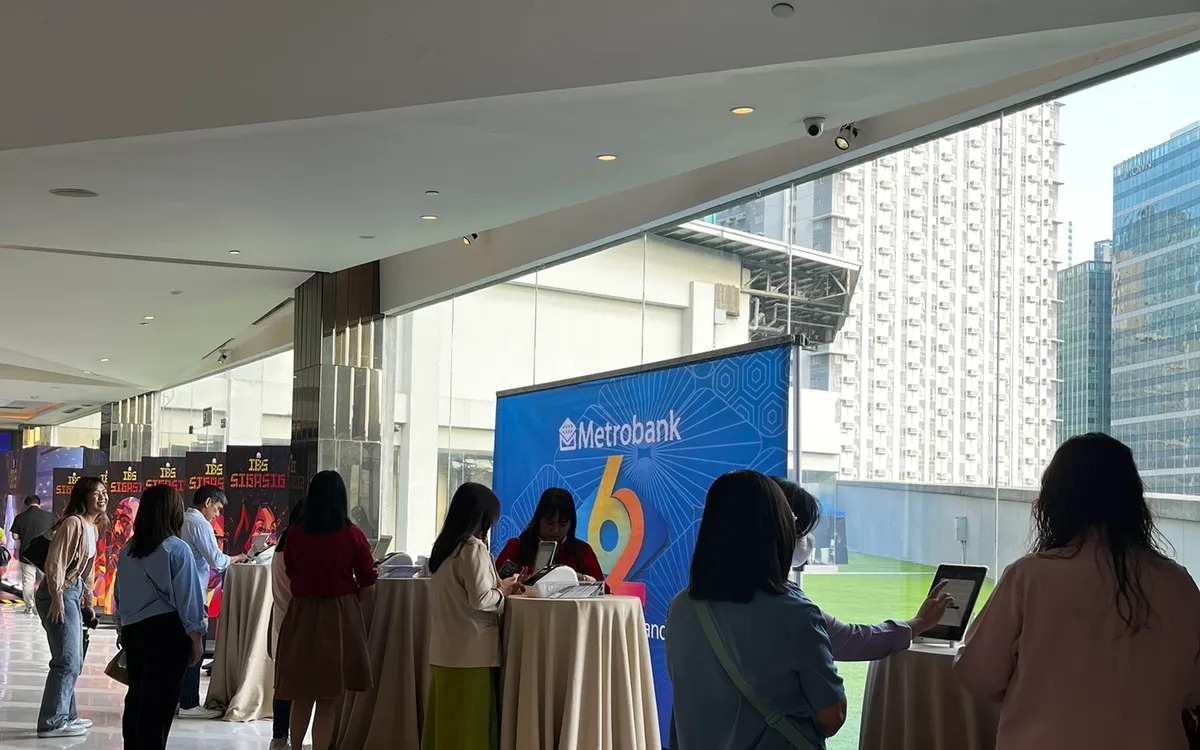
Name badges seem like a small detail, but they shape a surprising amount of an event's experience. They help people introduce themselves, let staff greet guests by name, and give an event a polished, organized feel. The question is not whether to use them — it is how to produce them. And the answer that consistently works best is to print them on demand, at check-in, rather than preparing them all in advance.
Here is why on-demand printing beats pre-printing, and how to make it work at your event.
The Trouble With Pre-Printing
Pre-printing every badge the night before feels efficient. In practice, it creates a series of problems that all surface at the worst possible moment — during check-in, in front of your guests.
First, there is the sorting. Hundreds of alphabetized badges laid out on a table must be searched by hand for each guest, which is slow and defeats much of the speed you gain from digital check-in. Second, there are the errors. Every misspelled name, every last-minute registration, every guest whose details changed is now a badge that is wrong or missing, and there is no easy way to fix it on the spot. Third, there is the waste. No-shows leave you with a pile of unused badges, and you have paid to print every one.
Worst of all, pre-printing treats walk-ins as second-class guests. They arrive to find no badge waiting and must be handled through some separate, clumsier process while everyone watches.
How On-Demand Printing Works
On-demand printing flips the model. Instead of preparing badges ahead of time, you print each one the moment the guest checks in. Paired with a tablet-based check-in, the flow is seamless: a staff member finds the guest on the iPad, taps to check them in, and a compact label printer beside them produces a clean, correctly spelled badge within seconds. The guest takes their badge and moves on.
There is no table of pre-printed name tags, no searching, no gaps in the alphabet, and no leftover pile at the end. Every guest — pre-registered or walk-in — gets exactly the same fast, professional experience.
The Advantages Add Up
Speed. Because there is nothing to search through, the badge appears as fast as it can print. The slowest part of many registration desks simply disappears.
Accuracy. The badge is generated from the live record, so it reflects the correct, current spelling. If a guest points out an error, you can correct the record and reprint on the spot.
Flexibility. Walk-ins and last-minute changes are non-events. Add the guest, print the badge, done. You are never caught out by someone who is not on the original list.
No waste. You print only for the people who actually arrive. No-shows cost you nothing in materials.
A professional look. Freshly printed badges look crisp and consistent, and the setup itself — a tidy tablet-and-printer station — reads as organized and modern.
Choosing the Right Printer
Not all label printers are suited to event work. For high-volume check-in you want a printer that is fast, reliable, and easy to connect to your check-in devices. A good event badge printer can produce a badge in a couple of seconds and keep pace through a busy arrival surge without jamming or slowing down.
Wireless connectivity is a practical must, so the printer can sit neatly beside the check-in tablet without a tangle of cables, and so you can position your lanes flexibly. Label rolls should be easy to swap, and you should always have spare rolls on hand — running out mid-event is an avoidable disaster.
Design Badges That Actually Help
Since you are printing fresh, make the badges genuinely useful. A few principles:
- Make the name big. The single most important function of a badge is letting someone read a name from a comfortable, respectful distance. Prioritize the first name in large, bold type.
- Keep secondary details smaller. Company or role can appear below the name, but do not let them compete with it.
- Consider a simple visual cue — a color or symbol — to distinguish categories like speakers, VIPs, or staff, so people can be identified at a glance.
- Do not overcrowd. A clean badge with one clearly readable name beats a cluttered one packed with information no one reads.
Setting Up the Station
Position the printer within easy reach of the check-in tablet, ideally on the same lane so one staff member can run both. Keep spare label rolls stocked and visible. Test the connection and print a few sample badges before doors open. And, as with the tablets, make sure everything is powered and charged for the full duration of your arrival window.
Plan Your Label Supply and Backups
Running out of labels mid-event is the one on-demand-printing failure that is entirely avoidable, and yet it happens. The remedy is simple arithmetic done in advance. Estimate your total badges — your expected attendance plus a generous margin for walk-ins and the occasional reprint — and make sure you have comfortably more label stock than that number before the day begins.
Keep spare rolls at the desk, not in a box in another room, so a swap takes seconds rather than sending someone on a hunt while the line grows. If you are running multiple lanes, each with its own printer, stock spares for every one. It is worth knowing how to change a roll before the event, too; a thirty-second task becomes stressful when you are learning it under pressure with guests waiting.
A backup printer is cheap insurance for larger events. If one printer jams or fails, being able to route badges to another lane keeps check-in moving. As with everything at a busy desk, the goal is that no single small failure — an empty roll, a jam — can stop the whole operation.
The Takeaway
On-demand badge printing is one of those upgrades that quietly removes an entire category of event-day stress. No more sorting, no more missing badges, no more awkward handling of walk-ins, no more waste. Paired with digital check-in, it turns registration into a smooth, few-second interaction that starts your event on a confident note.
If you are planning an event in Metro Manila, we can provide the badge printers, iPads, and stands and set up a complete on-demand registration station for you — delivered, installed, and ready to keep your lines short and your badges perfect.
Planning an event?
We deliver and set up iPads, printers, and registration tech across Metro Manila.
Request a quote